





Today, ecommerce website owners have one main goal besides boosting sales.
Any guesses?
It’s improving ecommerce website security.
Why? Because with the rise of cyber threats and security breaches, protecting customer data and maintaining trust is more important than ever.
In this blog, we’ll go over the top 14 best practices to improve your ecommerce website security and protect it from growing risks.
Let’s begin!
14 Ecommerce Website Security Best Practices

Here are some expert-suggested website security tips for ecommerce site owners:
1. Implement Multilayer Security
With 29% of site traffic having malicious intentions, multilayer security is essential today. Multiple protective measures can help guard your website against different threats. Some ecommerce website security requirements include:
- Encryption to protect data
- Secure login systems to prevent unauthorized access
- Using strong password policies
- Requiring passwords to be at least 8 characters long (with a mix of upper and lowercase letters, numbers, and special characters)
- Implementing multi-factor authentication (MFA), which requires customers to provide two forms of verification (e.g., password and phone authentication app code)
These measures combined can make it difficult for individuals with malicious intent to hack into your ecommerce site.
2. Use SSL Certificates
An SSL certificate encrypts data between your website and your customers, making it unreadable to anyone who might intercept it. It’s important to keep sensitive information, like credit card details and personal data, safe from hackers.
When you install an SSL certificate, your website’s URL will begin with "https" instead of "http," and a padlock icon will appear in the browser’s address bar. This gives customers confidence that their data is protected during transactions. Besides boosting website security, SSL certificates help build trust and improve conversion rates.
3. Guard Against Cross-site Scripting (XSS)
Cross-site scripting (XSS) occurs when a hacker injects malicious code into your website, often through user-generated content like forms or comments. This code can steal customer data or spread malware.
The best way to enhance your ecommerce website security is to sanitize user inputs. Check and clean any data entered by users before processing it. Escape any data displayed on your website to prevent it from executing harmful code.
Regularly scan your website for potential XSS vulnerabilities to spot issues before they can be exploited.
4. Use Anti-malware Software
Malware (malicious software) can steal customer data or even shut down your website completely.
Anti-malware software helps protect your website by scanning for harmful programs and removing them before they cause harm. Update the software and run regular scans to catch any new threats. Many anti-malware programs offer automatic updates and scheduled scans.
Many hosting providers like FastCow also offer security scans and alerts, firewalls, and malware protection.
5. Use a Firewall
A firewall acts as a shield between your website and the outside world. It helps block harmful traffic before it reaches your servers. A Web Application Firewall (WAF) is designed to protect your ecommerce site from common web-based attacks like:
- SQL injection
- Cross-site scripting (XSS)
- Cross-site request forgery (CSRF)
A WAF analyzes incoming traffic in real-time to spot malicious patterns or anomalies. Regularly update and configure your firewall rules based on the latest known threats.
6. Use a Payment Provider
Handling financial transactions on your own can expose you to risks. Rely on a trusted payment provider like PayPal, Stripe, or Square. These services have advanced security features like end-to-end encryption, fraud detection, and PCI-DSS compliance.
Payment providers also use tokenization, replacing sensitive payment details with a unique identifier (token), reducing the risk of data breaches.
7. Backup your Website Data

Regularly backing up your website data minimizes downtime and ensures business continuity. Set up automated backups at regular intervals (daily, weekly, or monthly).
Store your backups in multiple locations, such as cloud storage (Amazon S3 or Google Cloud) and external hard drives.
8. Comply with General Data Protection Regulation (GDPR) Guidelines
GDPR protects individuals' personal data and privacy in the European Union (EU). Even if your business isn't based in the EU, you may need to comply if you have customers in the EU or collect their personal data.
Key principles include:
- Data minimization (only collect necessary data)
- Data anonymization (removing personally identifiable information)
- The right to be forgotten (users can request the deletion of their data)
Notify customers promptly in case of a data breach and implement secure data storage practices.
9. Regularly Update and Patch Computer Systems
Regular updates and patches are essential to keeping your ecommerce website secure. Software developers frequently release security patches to fix vulnerabilities.
Update your website software, server OS, third-party plugins, themes, and other integrations. Automate updates wherever possible and establish a process for manually checking and updating software.
10. Set Up a VPN (Virtual Private Network)
A VPN encrypts your internet traffic and routes it through a secure server, making it nearly impossible for hackers to monitor your online activities.
A VPN is important for ecommerce website security, especially for secure remote access to company resources and sensitive data.
11. Input Validation and Sanitization
Input validation and sanitization prevent attackers from injecting malicious code into your website, such as SQL injection or XSS.
Always validate the data users submit through forms. Sanitization ensures user input is cleaned and stripped of potentially harmful elements, such as removing JavaScript code or escaping special characters.
12. Code Reviews and Penetration Testing
Code reviews and penetration testing help spot security vulnerabilities before attackers can exploit them.
Regular code reviews find potential weaknesses in your application code. Penetration testing simulates real-world cyberattacks to uncover vulnerabilities.
13. Collect Customer Data Ethically
Always obtain explicit consent from customers before collecting their personal information. Your privacy policy should clearly state:
- What data you’re collecting
- How it will be used
- How long it will be stored
Avoid collecting unnecessary data and ensure it is protected and stored securely.
14. Choose a Reliable Hosting Provider
Choosing a reliable hosting provider is crucial for ecommerce website security. A reliable provider offers secure infrastructure, automatic backups, SSL certificates, and DDoS protection.
Hosting providers like FastCow offer specialized WordPress hosting solutions with built-in security features.
Boost Your Ecommerce Website Security with FastCow!
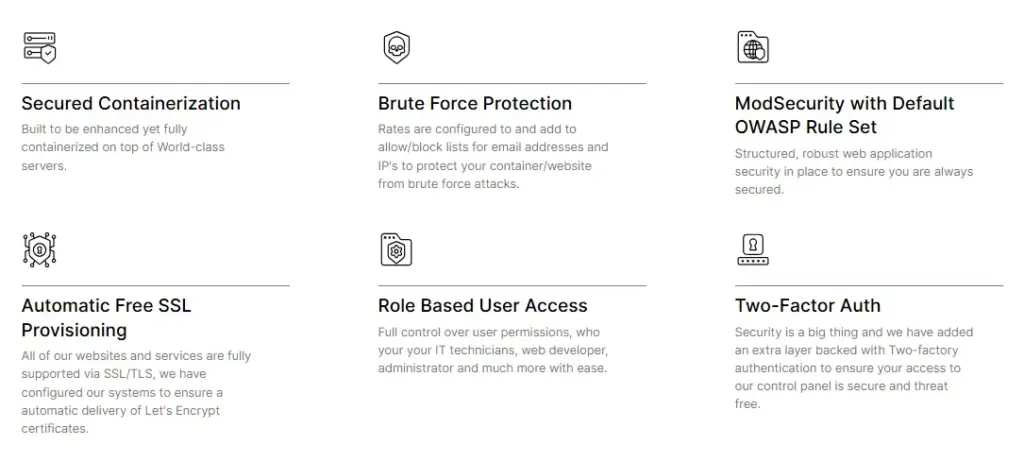
FastCow offers advanced features to boost security for ecommerce websites, including:
- Secured Containerization: Fully containerized environment on top of world-class servers, securely isolating your website.
- Brute Force Protection: Built-in protection against brute force attacks with rate limits and allow/block lists.
- ModSecurity with Default OWASP Rule Set: Industry-standard OWASP rule set for web application security.
- Automatic Free SSL Provisioning: SSL certificates via Let’s Encrypt for all hosted websites.
- Role-Based User Access: Control user access permissions for your website and hosting settings.
- Two-Factor Authentication (2FA): Added security for control panel access.
Contact us today to boost your ecommerce website security.
FAQs
1. What is recommended as best practice for ecommerce security? Use multilayered protection, such as SSL certificates, strong password policies, and multi-factor authentication (MFA). Regular updates, a web application firewall (WAF), and secure payment gateways help safeguard sensitive data. Back up your site regularly and comply with GDPR guidelines.
2. Which option would be a good security practice for an ecommerce company? Use trusted payment providers like PayPal or Stripe, which offer encryption and fraud protection. Regular code reviews, penetration testing, and anti-malware software help prevent vulnerabilities.
3. What are the 5 dimensions of ecommerce security? Confidentiality, integrity, authentication, authorization, and non-repudiation. These ensure data is protected from unauthorized access, modifications, and fraud, while verifying user identity and actions.
4. What are the best practices for online security? Regular software updates, SSL certificates, multi-factor authentication (MFA), secure payment processing, input validation and sanitization, and a web application firewall (WAF).