





How to Start a WordPress Blog in 2025: A Simple Guide
Since you’ve landed on this page, it looks like you’re ready to share your voice with the world. Starting a WordPress blog in 2025 is a fantastic way to turn your passion into something bigger. With millions of blogs already online, it’s evident people are still finding value in creating their own space on the internet.
WordPress has stood the test of time because it’s simple enough for beginners but flexible enough to grow as your ideas do. This guide will show you step-by-step instructions on how to start a WordPress blog so you can get your blog up and running without overthinking it.
By the end, you’ll be ready to hit publish with confidence. Now, let’s explore how to start a WordPress blog for free.
How to Start a Blog on WordPress: 9 Key Steps
Starting a WordPress blog might feel overwhelming at first, but getting started is simple.
You don’t need to be a tech expert to start a new WordPress blog that looks great and works well.
Many beginners find the process confusing, but breaking it down into easy steps helps. Let’s discuss nine simple steps to set up your blog the right way.
1. Register a Domain Name
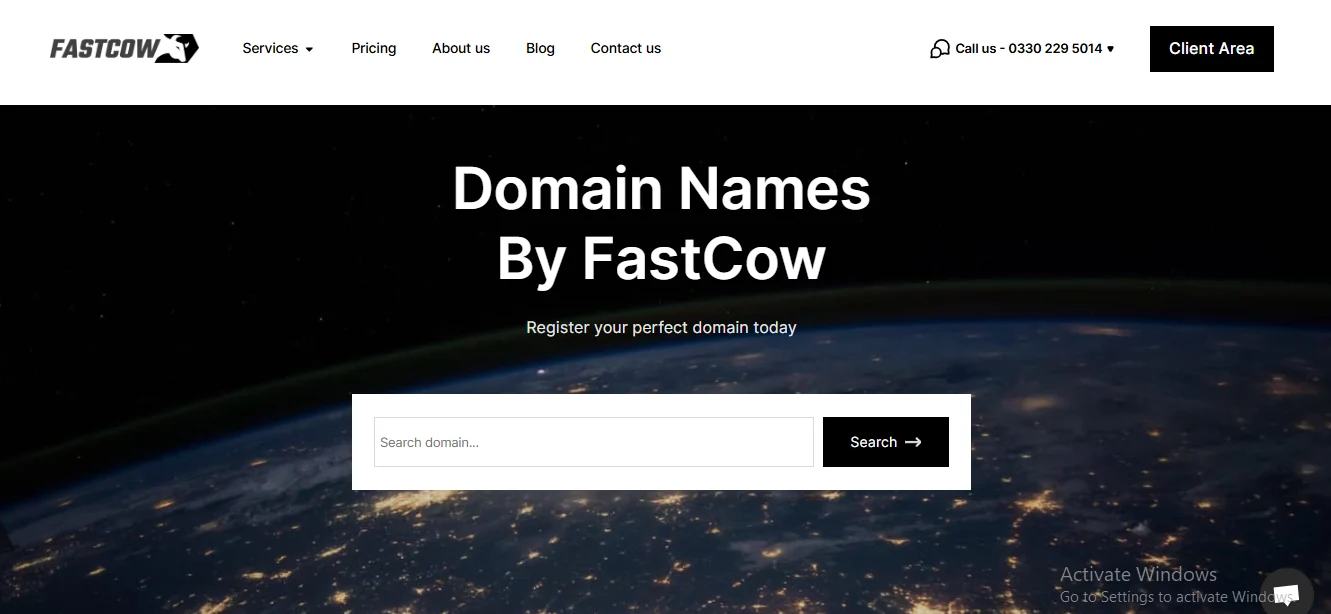
Your domain name is your blog's identity. It’s the first thing people will see, so ensure it’s something memorable and relevant to your blog’s purpose. A good domain is simple, easy to remember, and gives visitors an idea of what your blog is about.
Here are some tips to help you pick the perfect name to start a WordPress blog:
- Reflect your blog’s purpose (e.g., WanderGuide.com for travel tips).
- Keep it short and simple.
- Avoid numbers and hyphens.
2. Selecting a Hosting Provider for Your WordPress Blog
Choosing the right hosting provider is one of the most important decisions you'll make for your WordPress blog. The hosting provider is where your blog lives, and it plays a key role in its performance and reliability. Picking a provider that suits your needs ensures your blog runs smoothly and remains accessible to visitors.
Keep these factors in mind:
- Uptime guarantee: Aim for at least 99.9% uptime.
- Customer support: 24/7 support via chat, phone, and email is ideal.
- WordPress-specific features: Look for easy installation, automatic updates, and performance optimizations.
- Pricing: Balance cost with required features (free SSL, backups, scalability).
- Reviews and reputation: Research user feedback.
It’s tempting to choose free hosting, but it often has limitations (slower speeds, limited support). Investing in trusted hosting helps your blog grow.
3. Installing WordPress
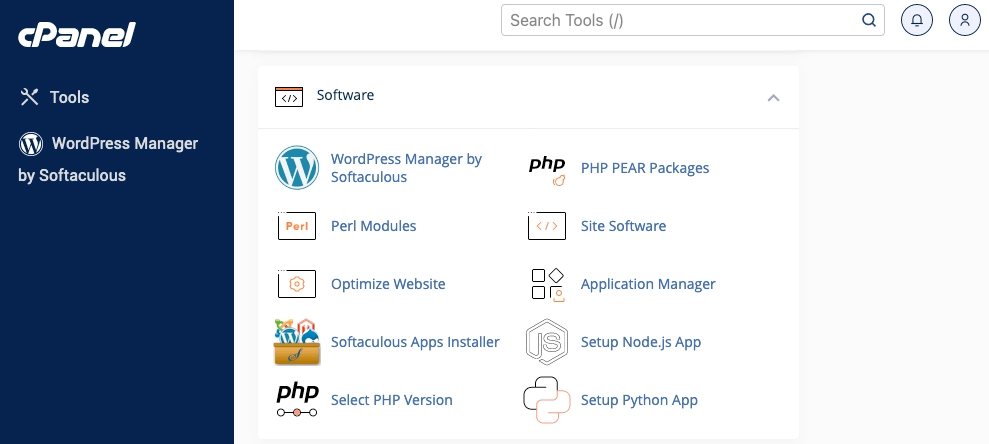
Once you have your domain and hosting, it’s time to install WordPress.
Steps to install WordPress:
- Log into your hosting control panel (cPanel, Plesk, etc.).
- Find the one-click WordPress installer (Softaculous, Fantastico, QuickInstall).
- Start the installation and select the domain.
- Enter site details (site name, admin username, password, email) — use a strong password.
- Use default advanced options if unsure.
- Complete the installation (takes a few minutes).
- Access the dashboard at yourdomain.com/wp-admin.
After installation, familiarize yourself with the dashboard. Contact your host’s support if you run into issues.
4. Selecting and Customizing a Theme
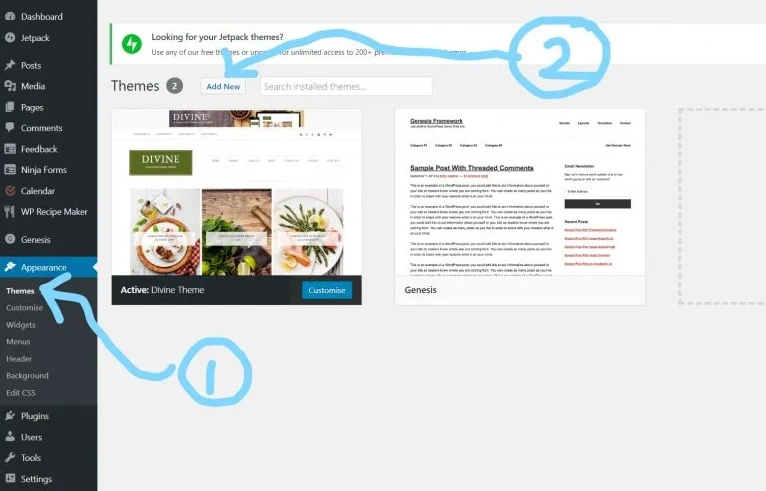
Picking a theme is like choosing the right frame for a picture. It sets the stage for how everything looks and feels. WordPress offers a wide range of themes; some are simple, others elaborate.
- Free themes can work well; premium themes offer more flexibility.
- Customize the theme to match your style and brand.
- The right theme makes your blog look professional and welcoming.
5. Customizing Blog Settings
After choosing your theme, customize your blog settings to control how it functions.
Important settings:
- Site Title and Tagline: Settings > General.
- Timezone and Date Format: Settings > General.
- Permalink Structure: Settings > Permalinks — choose "Post name" for SEO-friendly URLs.
- Homepage Display: Settings > Reading — latest posts or a static page.
- Navigation Menu: Appearance > Menus to create and customize menus.
- Comment Management: Settings > Discussion to control moderation, threading, and notifications.
Adjust these settings to fit your needs for a better visitor experience.
6. Installing Essential Plugins
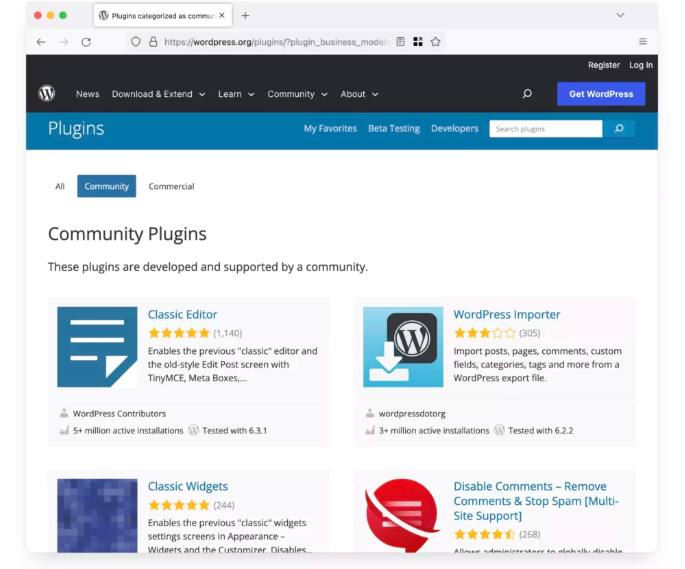
Plugins add features to your blog (SEO, security, social media integration). Be selective:
- Choose reliable, regularly updated plugins.
- Too many plugins can slow your site — focus on quality over quantity.
- Keep plugins up to date.
7. Creating Your First Blog Post
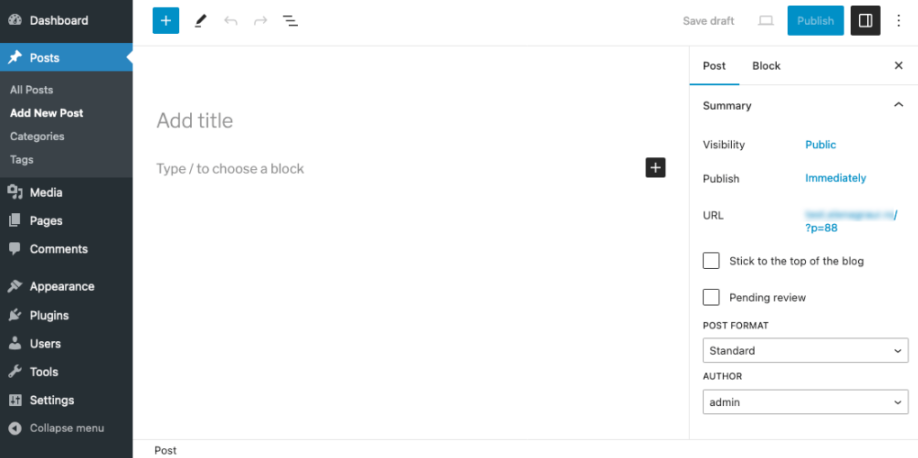
Now it’s time to share your first post — an introduction to who you are and what readers can expect.
How to publish:
- Open the WordPress Editor: Dashboard > Posts > Add New.
- Craft a catchy title.
- Write and organize your post with headings and sections.
- Add visuals: Media > Add Media (optimize images for fast loading).
- Use blocks for structure (paragraphs, images, headings).
- Categorize and tag your post.
- Optimize for SEO with a plugin (Yoast SEO) — fill Meta description and focus keyword.
- Preview and publish or schedule for later.
Your first post doesn’t need to be perfect — start and improve over time.
8. Promoting and Growing Your Blog
Writing a post is just the beginning. Share and grow your audience:
- Set Up Social Media Accounts
- Focus on Facebook, X (formerly Twitter), Instagram, Pinterest.
- Keep handles consistent with your blog name.
- Use a professional photo and fill bios.
- Post and Engage on Social Media
- Share posts with engaging captions.
- Join niche groups and communities.
- Post images, infographics, and videos.
- Use Email Marketing
- Add a signup form.
- Offer a free incentive (eBook, checklist).
- Send regular updates about posts and offers.
- Collaborate with Other Bloggers
- Guest post on niche blogs.
- Collaborate on webinars or interviews.
- Reach out to influencers for features or mentions.
- Consider Paid Ads
- Use Facebook, Instagram, or X ads to target audiences.
- Set a budget and track performance.
- Stay Consistent and Engaged
- Respond to comments.
- Use feedback to improve.
- Keep content and profiles updated.
9. Maintaining Your Blog
Maintaining your blog keeps it secure, fast, and relevant.
Maintenance tasks:
- Keep WordPress, themes, and plugins updated.
- Back up regularly (cloud storage or external drive).
- Secure your blog with strong passwords and security plugins.
- Optimize performance (image optimization, caching).
- Refresh older content with updated information.
- Monitor performance with Google Analytics to guide improvements.
A few simple steps will keep your blog running well.
Tabular Overview: How to Start a Blog on WordPress
| Step | Description |
|---|---|
| 1. Register Domain | Choose a memorable domain name. |
| 2. Select Hosting | Pick a reliable hosting provider. |
| 3. Install WordPress | Use a one-click installer to set up WordPress. |
| 4. Customize Theme | Choose and customize a theme. |
| 5. Adjust Settings | Set title, permalinks, timezone, and navigation. |
| 6. Install Plugins | Add essential plugins (SEO, security, etc.). |
| 7. Create A Blog Post | Write and publish your first post. |
| 8. Promote Blog | Use social media, email, and ads to promote your blog. |
| 9. Maintain Blog | Regularly update and optimize your blog. |
Ready to Take the Leap? Here's Your Next Step
Simply put, starting a WordPress blog is an exciting and educational journey. From choosing your domain to customizing your design, each step brings you closer to launching your space on the web. If you want a stress-free move, FastCow provides everything you need — fast, simple, and tailored for bloggers who want to focus on content instead of tech.
Visit FastCow and see how easy it can be to start your WordPress blog today!
FAQs
Do WordPress blogs make money?
Yes. You can earn through ads, sponsored posts, affiliate marketing, or selling products. It takes time to build an audience.
Is it free to start a blog on WordPress?
Basic WordPress is free. Custom domains, hosting, and premium themes cost money for a more professional site.
Is WordPress better than Blogger?
WordPress offers more flexibility and customization than Blogger. For serious bloggers, WordPress is generally the better choice.